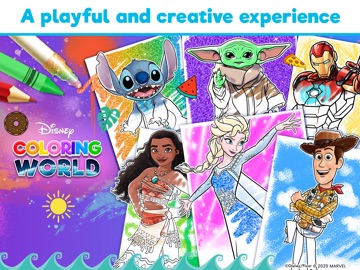
To find princess games without ads, check two labels before you download. On the App Store, open Age Rating and look for "Contains: Advertising." On Google Play, look under the app name for "Contains ads." A "Remove Ads" purchase also gives ads away. Of ten princess apps checked on October 13, 2026, only Disney Coloring World showed neither label.
This guide is for parents who want to know about ads before a child opens a new game. We read the US store listings of our six princess apps and four others with 10M+ Google Play downloads each on October 13, 2026. We did not play the games, so everything below is what the stores and developers say.
How to check for ads on the App Store
On an iPhone or iPad, open the app's page and scroll down to Information.
- Tap Age Rating. If the developer declared ads, the panel shows "Contains" and, under it, "Advertising." Apple defines this as paid promotion of products or services within the app. The same panel may list "In-App Controls" such as Parental Controls.
- Tap In-App Purchases. It says "Yes" when there are any and opens a list with prices. Items called "Remove Ads," "No Ads" or a pack with "no ads" in its name tell you the free version shows ads.
- Scroll to App Privacy. "Third-Party Advertising" listed as a purpose means the developer says some data may be used for ads. The page itself notes that Apple has not verified this information.
- Read the description for the developer's own words about ads.
One catch. Advertising is one of the "Capabilities" questions Apple added to its age rating questionnaire on July 24, 2025. Developers had until January 31, 2026 to answer before submitting updates. An app last updated before July 24, 2025 may show no ads line at all. Paper Princess's Dream Castle, last updated on iOS on July 16, 2025, shows no Advertising line yet sells "Remove Ads" for $0.99.
How to check for ads on Google Play
Look directly under the app's name. A kids' game may show one or both of two labels there: "Contains ads" and "In-app purchases."
Google's Play Console help says every developer must declare whether an app contains ads, and Google may verify this and add the label itself. The label covers ads from ad networks and also banners or interstitials that promote the developer's own apps. It does not cover offers to buy things inside the app.
"Teacher Approved" is not a no-ads badge. Google says teachers and specialists check that ads, in-app purchases and cross-promotion are appropriate and follow its Families policies. On October 13, 2026, the Teacher Approved badge sat right next to "Contains ads" on the listings for Disney Frozen Royal Castle, Papo Town Castle and My Little Princess Fairy Game.
Two more places to look: the Data safety section, which the developer fills in, and a Google Play Pass note. Disney Coloring World's Android listing says Play Pass subscribers get it free of ads and in-app purchases.
What the listings of our six apps show
Checked on 13 October 2026 in the US App Store and on US Google Play listings. Labels belong to each store listing and can change with any update.
| App | App Store: "Contains: Advertising" | Google Play: "Contains ads" | Ad-free option in the listing | Developer's own words on ads |
|---|---|---|---|---|
| Disney Frozen Royal Castle | Not shown | Yes | None listed | Not stated |
| My Little Princess Castle Game | Yes | Yes | Paid edition, My Little Princess : Castle | Not stated¹ |
| Disney Coloring World | Not shown | Not shown | Not needed: full access is by subscription | "No third-party advertising" |
| Papo Town Castle | Not shown² | Yes | None listed³ | Not stated |
| My Little Princess Fairy Game | Yes | Yes | $4.99 character pack with "no ads" in its name (App Store) | Not stated |
| Disney Frozen Free Fall | Yes | Yes | None listed | Not stated |
¹ The paid edition's description says "3rd Party Ads Free." ² Papo Town Castle's iOS version was last updated on March 26, 2025, before Apple's new questions. ³ The $3.99 full version doesn't mention ads.
Disney Frozen Royal Castle is the odd one out. Its iOS version was updated on August 10, 2026, after Apple's new questions, and shows no Advertising line, while its Google Play listing shows "Contains ads." The two listings describe separate iOS and Android versions, so check the store your child's device uses.
Which princess apps showed no ads label
Across the ten apps in our princess games fact sheet, one free download showed no ads label in either store:
- Disney Coloring World. No ads label in the App Store or on Google Play, and StoryToys says it has no third-party advertising. Full access needs a subscription, listed at $5.99–$6.99 a month or $39.99–$49.99 a year in the US App Store. Details: is Disney Coloring World free?
One paid edition did too:
- My Little Princess : Castle, the paid version of My Little Princess Castle Game. It costs $3.99 on the App Store, where the page lists no in-app purchases and no ads line, and the developer describes it as free of third-party ads with no in-app purchases. On Google Play it costs $4.49 and shows no ads label, but the listing still says "In-app purchases." Ask the developer before buying if that matters to you.
And one subscription-service edition:
- Disney Coloring World+, StoryToys' Apple Arcade edition. Its App Store page says "No ads. No in-app purchases." Apple prices Arcade at $6.99 a month or $49.99 a year in the US and lets you share it with up to five people. On Android, the regular Disney Coloring World listing offers a similar route through Google Play Pass.
The other nine free apps all showed "Contains ads" on Google Play on October 13, 2026.
Ads are only half the question
No ads label doesn't mean nothing is for sale: Disney Coloring World keeps full access behind a subscription. Apps with ads often sell things too. My Little Princess Castle Game lists a My Town subscription at $9.99 a month, and Google Play marks Frozen Free Fall with "In-Game Purchases (Includes Random Items)."
Before the first session, turn on purchase approval: Ask to Buy on Apple devices, and purchase verification on Google Play, which Google says is always required for apps designed for ages 12 and under. Our guide to stopping in-app purchases has the steps. If a charge slips through anyway, see how to get a refund.
FAQ
Is there a princess game with no ads and no in-app purchases?
Yes, with conditions. Disney Coloring World+, the Apple Arcade edition, says "No ads. No in-app purchases," but needs an Arcade membership, $6.99 a month in the US. The paid My Little Princess : Castle, $3.99 on the App Store, lists no in-app purchases or ads line; its Google Play version still shows "In-app purchases."
Does a 4+ rating mean an app has no ads?
No. Apple's age ratings describe content, and ads are listed separately under "Contains" in the Age Rating panel. My Little Princess Castle Game and Disney Frozen Free Fall are both rated 4+ and both show "Contains: Advertising" in the US App Store. Read the panel, not only the number.
Does "Teacher Approved" mean a game has no ads?
No. Google says Teacher Approved raters check that ads, in-app purchases and cross-promotion are appropriate and follow its Families policies, not that they're absent. On October 13, 2026, Disney Frozen Royal Castle, Papo Town Castle and My Little Princess Fairy Game all showed both the Teacher Approved badge and "Contains ads" on Google Play.
Why does an app show an ads label on Google Play but not on the App Store?
Each store listing describes its own version, and each label rests mostly on the developer's own answers to that store. Disney Frozen Royal Castle showed "Contains ads" on Google Play but no Advertising line in the US App Store on October 13, 2026. If the labels disagree, trust the store your child's device uses.
Does Disney Coloring World have ads?
Its listings showed no ads label in either US store on October 13, 2026, and StoryToys says the app has no third-party advertising. The app isn't free in full, though: sample content is free, and the rest needs a monthly or yearly subscription. On Google Play it is also available through Google Play Pass.
Sources
All checked on October 13, 2026.
- App Store pages: https://apps.apple.com/us/app/disney-frozen-royal-castle/id6446950319 · https://apps.apple.com/us/app/my-little-princess-castle-game/id1471172184 · https://apps.apple.com/us/app/disney-coloring-world/id1400326821 · https://apps.apple.com/us/app/papo-town-castle/id1503660567 · https://apps.apple.com/us/app/my-little-princess-fairy-game/id1471513971 · https://apps.apple.com/us/app/disney-frozen-free-fall-game/id692412579 · https://apps.apple.com/us/app/my-little-princess-castle/id1226365629 · https://apps.apple.com/us/app/paper-princesss-dream-castle/id6443479615
- Disney Coloring World+ (Apple Arcade), App Store: https://apps.apple.com/us/app/disney-coloring-world/id1644114544
- Apple Arcade pricing and sharing: https://www.apple.com/apple-arcade/
- iTunes Lookup API, US store (versions and update dates): https://itunes.apple.com/lookup?id=6446950319,1471172184,1400326821,1503660567,1471513971,692412579,1226365629,6443479615&country=us
- Google Play listings (hl=en_US, gl=US): https://play.google.com/store/apps/details?id=com.budgestudios.googleplay.FrozenFRZ · https://play.google.com/store/apps/details?id=mylittleprincess.castle.free · https://play.google.com/store/apps/details?id=com.storytoys.disney.pixar.coloring.princess.googleplay · https://play.google.com/store/apps/details?id=com.papoworld.apps.papotowncastle · https://play.google.com/store/apps/details?id=mylittleprincess.fairy.free · https://play.google.com/store/apps/details?id=com.disney.frozensaga_goo · https://play.google.com/store/apps/details?id=mylittleprincess.castle · https://play.google.com/store/apps/details?id=com.jibicat.jibiland.princesscastle · https://play.google.com/store/apps/details?id=com.libii.paperdollcastle · https://play.google.com/store/apps/details?id=com.PepiPlay.KingsCastle · https://play.google.com/store/apps/details?id=com.tutotoons.app.princesses
- Apple Developer, "Updated age ratings in App Store Connect" (July 24, 2025): https://developer.apple.com/news/?id=ks775ehf
- Apple Developer, age ratings values and definitions (Advertising capability): https://developer.apple.com/help/app-store-connect/reference/app-information/age-ratings-values-and-definitions/
- Apple Developer, app privacy details: https://developer.apple.com/app-store/app-privacy-details/
- Apple Support, Ask to Buy: https://support.apple.com/en-us/105121
- Play Console Help, "Prepare your app for review" (ads declaration): https://support.google.com/googleplay/android-developer/answer/9859455
- Google Play, Teacher Approved program: https://play.google.com/console/about/programs/teacherapproved/
- Google Play Help, purchase verification: https://support.google.com/googleplay/answer/1626831
- Princess Games for Kids: 10 Apps Compared (2026)
- Is Disney Coloring World Free? Subscription Explained
- How to Stop In-App Purchases on Kids' iPhone and Android
- Kid Made an In-App Purchase? How to Get a Refund
- What Does “Contains Ads” Mean? Kids’ App Store Labels
- Princess Castle Games: Frozen, My Little Princess or Papo
For a plain-English definition of every label mentioned here, read how to read a kids' app store listing.