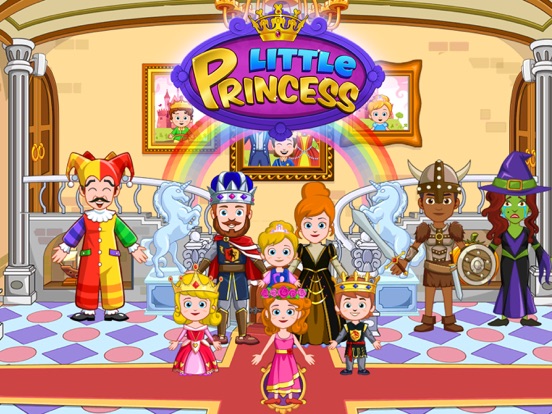
The princess games that suit 4- and 5-year-olds best are digital dollhouses played by tapping and dragging, with no reading, timers or scores. My Little Princess : Castle ($3.99 once on the App Store, no in-app purchases listed) is the easiest to set up, and Toddler Princess Pop suits a child new to touchscreens. Play the first session together.
This guide is for parents of preschoolers who don't read yet, and it names specific apps. For the general method at any age, see how to choose a princess game.
The apps below were checked in the US App Store and on Google Play on 13 October 2026. We didn't play-test them. The ages we suggest are editorial guidance based on each game's format, not store ratings.
What a child who can't read needs from a princess game
Most problems at this age show up in five places on the store page. Checking all five takes a couple of minutes.
| What to check | Why it matters at 4–5 | How to check before downloading |
|---|---|---|
| Tap and drag only | Small hands manage taps and drags; menus and typing stall the play | Watch the store video and screenshots; look for "multitouch" or "touch-first" in the description |
| Pictures and sound instead of text | A child who can't read can't follow written goals or warnings | Screenshots full of text boxes are a warning sign |
| No timers, scores or lives | A countdown turns pretend play into pressure, and lives are often sold | Scan the in-app purchase list for lives, boosters and coins |
| A parental gate before shops and links | It stops one tap from reaching a purchase screen or a website | On the App Store, "Made for Ages" means Apple's Kids category, where gates are required |
| An honest ad label | An ad is one more thing to tap by accident; Google counts promotions of a developer's other apps as ads too | App Store: "Contains Advertising" in the age-rating panel. Google Play: "Contains ads" under the title |
For example, Frozen Free Fall sells a "Full Set of Lives" for $0.99 on the App Store, which is one reason our site suggests it from age 8. Disney Jigsaw Puzzles! has a beat-the-clock timer.
Apple's guidance for kids' app developers says a parental gate is an adult-level task, such as a math question, and suggests a voice prompt for children who can't read yet. Google Play adds a payment rule: it always asks for authentication before purchases in apps designed for ages 12 and under.
A 4+ rating doesn't mean "made for 4-year-olds"
An App Store 4+ rating describes content only: nothing in the app is rated above the youngest age level. It says nothing about ads, purchases, reading or difficulty. Apple's Kids category adds a second line, "Made for Ages", with three bands: 5 and under, 6–8, and 9–11.
Most of the princess dollhouses we checked are in the 6–8 band: Disney Frozen Royal Castle, both My Little Princess Castle editions and My Little Princess Fairy Game. So is Disney Coloring World.
Developers' own descriptions often aim younger. Budge Studios calls Royal Castle easy for ages 4 to 11. My Town says its castle suits ages 3 to 12 and suggests parents play along with 3- to 5-year-olds.
Our guidance for these dollhouses is 4–8, with an adult nearby at the younger end. That is an editorial view of the format and doesn't replace the store label. To read any listing line by line, see how to read a kids' App Store listing.
Princess games that suit a preschooler: store facts
| Game | What it is | How you pay (US) | Ad label: App Store / Google Play | App Store band; developer's age wording |
|---|---|---|---|---|
| My Little Princess : Castle (paid) | Castle dollhouse with 12 rooms | $3.99 once on the App Store, no in-app purchases listed; $4.49 on Google Play, which shows in-app items at $0.99 per item | No / No | 6–8; "especially for 3-12 years old" |
| My Little Princess Castle Game (free) | Free edition of the same castle | Free; characters and packs $0.99–$9.99; My Town subscription $9.99 a month | Yes / Yes | 6–8; "especially for 3-12 years old" |
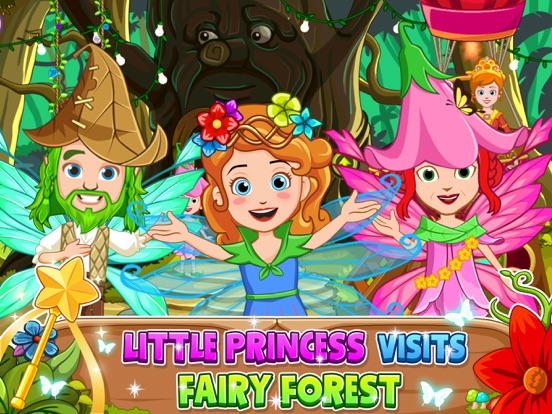
| My Little Princess Fairy Game | Fairy forest and tree house | Free; packs $0.99–$9.99, including a $4.99 characters pack whose name says "no ads"; My Town subscription $9.99 a month | Yes / Yes | 6–8; "4-9 years old kids and older" (Google Play) |
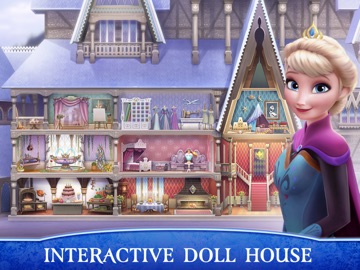
| Disney Frozen Royal Castle | Dollhouse with Anna and Elsa | Free; $9.99 monthly subscription | No / Yes | 6–8; "children aged 4-11" |
| Disney Coloring World | Coloring with a "Magic Color" tool that fills areas neatly | Free sample content; monthly plans $5.99–$6.99, yearly $39.99–$49.99 | No / No | 6–8; no age range, "children and fans of all ages" |
| Toddler Princess Pop | Tap-to-pop game with 30 fairy-tale characters | Free; all characters $2.99 on the App Store; Google Play shows $2.99 per item | No / No | 0–5; "18 months and up" |
Toddler Princess Pop is the only princess app in our check that Apple lists for ages 5 and under. Its listing says the falling objects get smaller and faster as levels go on. The iOS app was last updated on 20 March 2025. It suits a child who is new to touchscreens more than one who wants to tell stories.
The paid My Little Princess edition is the simplest to pay for on an iPhone or iPad: one price, no listed purchases and no ad label. If you choose the free edition or Royal Castle, set up purchase approval first. Our comparison of Frozen Royal Castle and My Little Princess Castle goes through both editions.
We'd wait on two other games from our site. Papo Town Castle has a witch's spell and a prince locked in a dungeon, so we suggest it from 6. Frozen Free Fall is a level-based puzzle with lives and boosters for sale, and we suggest it from 8.
A first session with a 4- or 5-year-old: six steps
- Set up purchases before the child holds the device. Turn on Ask to Buy through Family Sharing on an iPhone, or purchase approval in Google Play and Family Link. Our guide to stopping in-app purchases has the exact settings.
- Keep the screen inside one app. On an iPhone or iPad, turn on Guided Access in Settings > Accessibility, open the game and triple-click the side or top button. On Android, use app pinning from the security settings.
- Show one action and say it out loud. "Let's take the princess to the kitchen." Drag her there, then hand the device over and let your child do the same.
- Name the grown-up buttons. When a shop, a padlock or an ad appears, point at it: "That's a grown-up button. If you see it, call me." A parental gate helps, but this sentence works on every app.
- Make one small story. Give the characters a problem to solve: the queen has lost her crown, or the cook needs help with a cake. Our princess story starters have more.
- End inside the story. "The princess is going to bed now" lands better than a sudden "time's up". The WHO's 2019 guidelines cover children up to age 4: for 3- and 4-year-olds, no more than one hour of sedentary screen time a day, and less is better. They set no figure for 5-year-olds; see screen time for 4- to 7-year-olds.
Checked on 13 October 2026 in the US App Store (store pages and iTunes Lookup) and the US Google Play listings. "Made for Ages" bands, ad labels and purchase lists are quoted from those pages. Prices, ads and purchases vary by country, version and device; check your own store before paying. Our princess game fact sheet compares more apps.
FAQ
What princess games are good for a 4-year-old?
Look for a digital dollhouse your child can play by dragging characters, with no reading, timers or scores. My Little Princess : Castle ($3.99 on the App Store, no in-app purchases listed) and Disney Frozen Royal Castle (free, with a subscription) are both listed as open-ended dollhouses. Sit together for the first session and set up purchase approval.
Is a 4+ app safe for my 4-year-old?
A 4+ rating describes content only: nothing in the app is rated above the youngest age level. It says nothing about ads, purchases, reading or difficulty. Check the "Made for Ages" line, the advertising notice and the in-app purchase list on the same page. Many princess dollhouses rated 4+ are in Apple's 6–8 band.
What does "Made for Ages 6–8" mean on the App Store?
It means the developer put the app in Apple's Kids category and chose the 6–8 age band; the other bands are 5 and under, and 9–11. Kids category apps must keep purchases and links behind a parental gate and should not include third-party advertising or analytics, apart from limited exceptions.
Can a 5-year-old play princess games without reading?
Yes, if the game works through pictures, sound and dragging. Dollhouse apps usually do, but no store listing promises zero text. Try the first screen together. If your child keeps stopping at written instructions or menus, switch to something simpler, such as Toddler Princess Pop, where the only task is popping objects.
How do I stop my preschooler from buying things in a princess game?
Turn on Ask to Buy for your child's Apple Account through Family Sharing, or require Google Play authentication for purchases. Google Play always asks for it in apps designed for ages 12 and under. Then tell your child that padlocks and shop buttons mean "call a grown-up", and stay close during the first sessions.
Sources
- My Little Princess : Castle, App Store (US) and Google Play, checked 13 October 2026
- My Little Princess Castle Game, App Store (US) and Google Play, checked 13 October 2026
- My Little Princess Fairy Game, App Store (US) and Google Play, checked 13 October 2026
- Disney Frozen Royal Castle, App Store (US) and Google Play, checked 13 October 2026
- Disney Coloring World, App Store (US) and Google Play, checked 13 October 2026
- Toddler Princess Pop, App Store (US) and Google Play, checked 13 October 2026
- Disney Frozen Free Fall, App Store (US) and Disney Jigsaw Puzzles!, App Store (US), checked 13 October 2026
- iTunes Lookup for the apps above: US, checked 13 October 2026
- Apple App Review Guidelines, 1.3 Kids Category and Apple Developer: Kids apps, checked 13 October 2026
- Apple Support: Use Guided Access on iPhone or iPad and Apple Support: Ask to Buy, checked 13 October 2026
- Google Play Help: Require authentication for purchases and Android Help: Pin & unpin screens, checked 13 October 2026
- WHO: To grow up healthy, children need to sit less and play more (24 April 2019), checked 13 October 2026
- How to Choose a Princess Game for Kids Ages 4–12
- What Does “Contains Ads” Mean? Kids’ App Store Labels
- Frozen Royal Castle vs My Little Princess Castle (2026)
- How to Stop In-App Purchases on Kids' iPhone and Android
- Princess Story Starters: 5 Ideas for Kids to Finish
- How Much Screen Time for a 5-Year-Old? WHO and AAP
If your child wants a castle above all, start with our My Little Princess Castle fact page.